Wellness, support, and care hub
Today’s Care Dashboard
We are here to help you feel supported every day.

Phase 1 MVP
Supporting seniors, families, caregivers, and the community through health, faith, education, and connection.
Today
Quick check-ins, reminders, care updates, and safety actions.
Important safety notice:
This app is not an emergency response service and is not monitored as a 911 replacement. Call 911 immediately for urgent medical, safety, or life-threatening needs.
Daily “I’m Okay” Check-In
WaitingA gentle way to let your care circle know how you are doing today.
I’m Okay sends a simple wellness check-in to the care dashboard.
Notify Family sends a non-emergency request for staff/family follow-up.
Next Care Visit
Client portal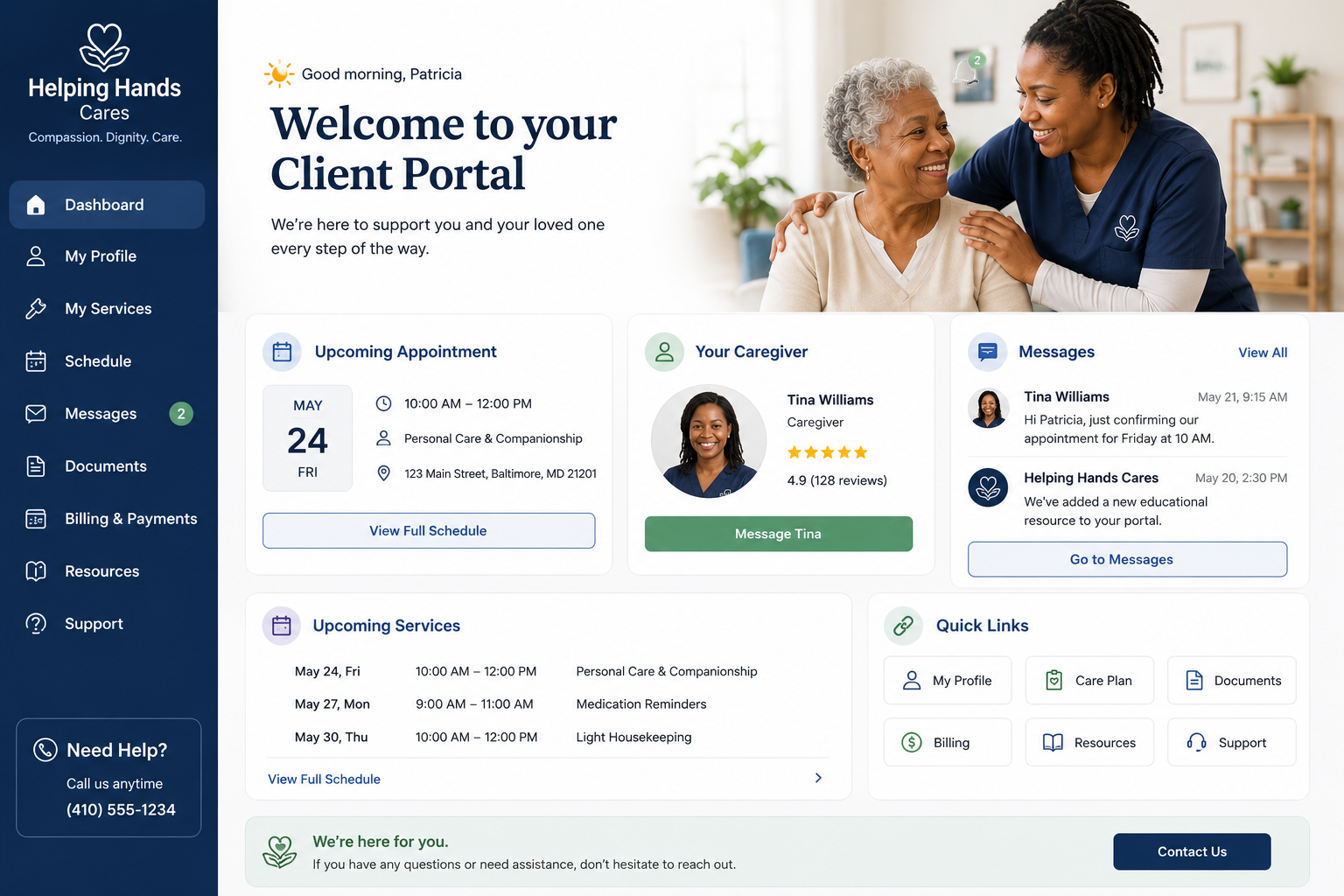
Your visit details are private
Sign in to view accurate visit days, times, caregiver names, and service notes.
Mental, Emotional, and Physical Wellness
Mood tracking, encouragement, gratitude, hydration, and movement.
Privacy and safety note:
Submissions are reviewed by Helping Hands Cares staff. Please do not use this app for emergencies. Call 911 right away for urgent medical, safety, or life-threatening needs. Email alerts do not include sensitive details.
Daily Mood Check-In
Voice options use your device browser. You can still type if voice is not available.
Encouragement Center
Guided Relaxation
Breathe In
Watch the circle, listen for a soft cue, or hear a calming prompt. Choose what feels peaceful today.
Gratitude Journal
Health Trackers
Daily step goal: enter your steps to begin.
Goal: 5,000
Every step counts. Use the number from your phone, watch, pedometer, or enter your best estimate.
For people managing diabetes, enter glucose readings as directed by your clinician. This tracker does not provide medical advice.
Exercise Hub
- Loading today's movement ideas...
Medication Reminders
Gentle reminders to support your routine without pressure.
Privacy and safety note:
Medication entries are reviewed through the Helping Hands Cares admin dashboard. Do not submit emergency symptoms here. Call 911 for urgent medical concerns.
Add Medication
Today’s Reminders
Due reminders use a gentle glow to draw attention without feeling alarming.
Family Caregiver Support
Shared notes, care calendar, photos, and emergency information.
Privacy and safety note:
Family updates are reviewed by Helping Hands Cares staff in the admin dashboard. For urgent care concerns, call the agency directly or call 911 for emergencies.
Family Communication Center
Shared Care Calendar
Your care visits appear after sign-inHelping Hands Cares can add accurate visit days, times, and notes.
Your appointments stay protectedClients and family can add appointment reminders in the private portal.
Family visits stay within the care circleShare plans only with approved family or care team users.
Emergency Information Vault
The vault is a private place for important non-emergency information such as physician contacts, insurance, medication list notes, allergies, emergency contacts, preferred hospital, and key family contacts.
Physician contacts
Insurance notes
Allergies and medication lists
Emergency contacts
0 vault items
Caregiver Resource Library
Prayer and Inspiration
Faith-based encouragement, prayer requests, scripture, and virtual support.
Privacy and safety note:
Prayer requests are sent to the Helping Hands Cares admin dashboard. Email alerts only notify staff that a request was received and do not include sensitive details.
Scripture of the Day
American Bible Society resourcesFaith Media for Seniors
Easy links for worship music, Bible teaching, devotionals, and gentle encouragement.
Prayer Wall
Live Prayer Support
Request prayer from a trained Helping Hands Cares volunteer by email or video meeting link.
For video prayer, enter the best email for the meeting link when prompted.
Virtual Bible Study
Bible study resumes Sept. 30th at 7pm and meets every Wednesday.
Meeting ID: 821 2066 5389
Passcode: W3f8GM
Education and Community Resources
Helpful links for seniors, veterans, caregivers, and neighbors. Enter a ZIP code to find resources nearby.
Find Local Help by ZIP Code
ZIP code is used only to open local resource searches. Do not enter private medical or financial information here.
Medicare Basics
Official Medicare.gov guidance for getting started.
CMS Education
Training and education resources from CMS.
Housing Assistance
HUD rental assistance resources for people who need help finding or paying for housing.
Medicaid Eligibility
Official Medicaid.gov information about eligibility, coverage, and enrollment rules.
Medicaid & CHIP Help
Find where people can get help with Medicaid and CHIP questions.
Electric Bill Help
USAGov information on programs that help with energy and utility bills.
Veterans Resources
Geriatrics and extended care information for veterans.
Food Assistance
Federal information on food help and benefit programs.
Food Banks and Food Pantries
Search nearby food pantries, groceries, meal sites, and nutrition support.
Emergency Shelters
HUD shelter finder for housing, emergency shelter, food, and health clinics.
Hospital Finder
Search and compare hospitals using Medicare Care Compare.
Department of Social Services
Find state social service agencies for benefits and local support programs.
Social Security Administration
Use the official SSA office locator to find a nearby Social Security office.
Poison Control
Call Poison Help at 1-800-222-1222 for free, confidential poison support 24/7.
Find a Poison Center
Locate state and territory poison centers through Poison Help.
Eldercare Locator
Find local services for older adults and families.
211 Local Help
Connect with local help for housing, utilities, food, transportation, and more.
Healthy Aging
National Institute on Aging health information.
Community Connection
Enter a ZIP code above to personalize these links.
Home Care Client Portal
Schedules, caregiver profiles, service requests, forms, messaging, and invoices.
Privacy and safety note:
Service requests are reviewed by Helping Hands Cares staff. This form is not monitored as an emergency line. For urgent needs, call the agency or 911.
Care Visit Schedule
Service Request
Secure Messaging
Open MessagesInvoices and Forms
Invoices and electronic forms are available after signing in to the private client/family portal.